TWIL 2
Table of Contents
Topic 1 : Thermal printers #
My wife started a small business & got a thermal printer to print the labels for her orders.
It’s a new device for me, I’ve never interacted with one, so I decided to investigate how it works & how I can communicate with it & print labels safely, especially since the driver that the seller advised me to use is very suspicious Chinese non-official software.
What are thermal printers #
Thermal printers are special printers that use heat instead of ink or toner. They are commonly used for receipts, barcode labels, shipping labels, tickets, and industrial identification systems.
The main idea behind a thermal printer is simple: a print head generates heat on specific points while the paper moves underneath it. These heated points create text, barcodes, or graphics as a sequence of tiny dots.
Types #
There are two major thermal printing technologies:
Direct thermal printing : uses heat-sensitive paper. When the thermal print head heats a specific area of the paper, the paper becomes dark, creating the printed content. The printed content using thermal printing may fade over time, especially when exposed to sunlight or heat. This is why direct thermal printing is mostly used for receipts and temporary labels.
Thermal transfer printing : Instead of using heat-sensitive paper, the printer heats a ribbon coated with ink. The melted ink is transferred onto the label surface. This method produces more durable and resistant prints that can survive water, chemicals, and long storage periods. Thermal transfer printing is widely used in warehouses, manufacturing, and industrial tracking systems.
Hardware & components #
Now let’s talk about the hardware,
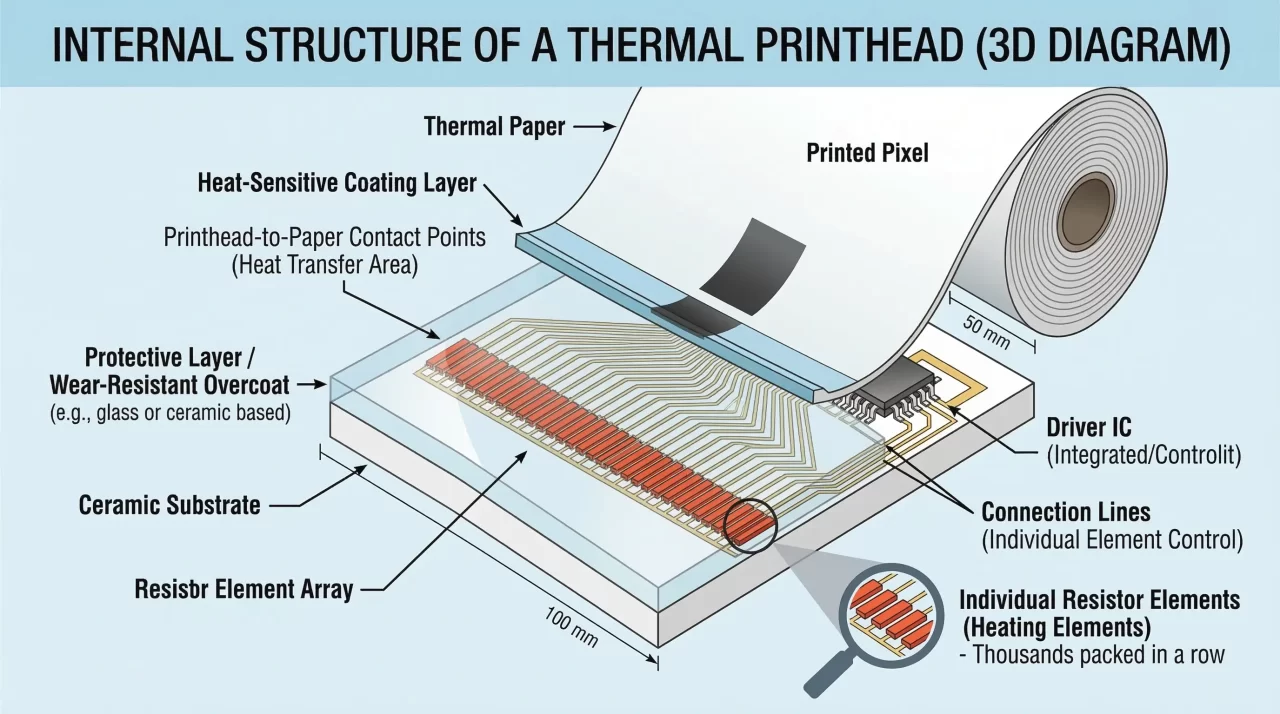
The most important component is the thermal print head. It contains a horizontal line of tiny heating elements. Each element acts like a small pixel. By heating selected elements at precise moments, the printer can create characters, barcodes, or images line by line.
The paper movement is controlled by a stepper motor and a platen roller. The platen roller presses the paper against the print head while the stepper motor advances the media with very high precision. This precise movement is critical for barcode alignment and accurate label positioning.
Thermal printers also include multiple sensors. These sensors detect paper presence, label gaps, black marks, open covers, and print head temperature. Industrial printers rely heavily on these sensors to avoid printing errors and hardware damage.
Inside the printer, a controller board containing a microcontroller or embedded CPU manages all operations. The firmware running on this controller receives commands from a computer, interprets printer language instructions, renders graphics, controls the motors, and activates the print head.
Most modern printers support several communication interfaces such as USB, Serial (RS232), Ethernet, Wi-Fi, and Bluetooth. This flexibility allows integration into desktop applications, industrial machines, embedded systems, and mobile devices.
Communication with thermal printers #
There are multiple manufacturers of thermal printers, and each has created a command language to communicate with their printers, the command language the printers receive via their communication interfaces & get interpreted by the control board.
| Manufacturer | Command Language | Description |
|---|---|---|
| TSC Auto ID | TSPL / TSPL2 | Popular in barcode and shipping label printers. Simple command syntax. |
| Zebra Technologies | ZPL / ZPL II / EPL | Widely used in industrial and warehouse printing systems. |
| Epson | ESC/POS | Common in receipt and POS printers. |
| Honeywell | DPL / Fingerprint / IPL / ZSim | Industrial and enterprise label printers. |
| Bixolon | BXL / ESC/POS | POS and label printers with ESC/POS compatibility. |
| Brother Industries | Raster / ESC/P / P-touch Template | Label and desktop thermal printers. |
| SATO | SBPL | Industrial barcode and RFID printers. |
| Datamax-O’Neil | DPL | Industrial label and logistics printers. |
| Citizen Systems | ESC/POS / CPCL / ZPL Emulation | Receipt and compact label printers. |
| GoDEX | EZPL / GEPL / GZPL | Label printers compatible with Zebra-style languages. |
Hands-on interaction with a thermal printer #
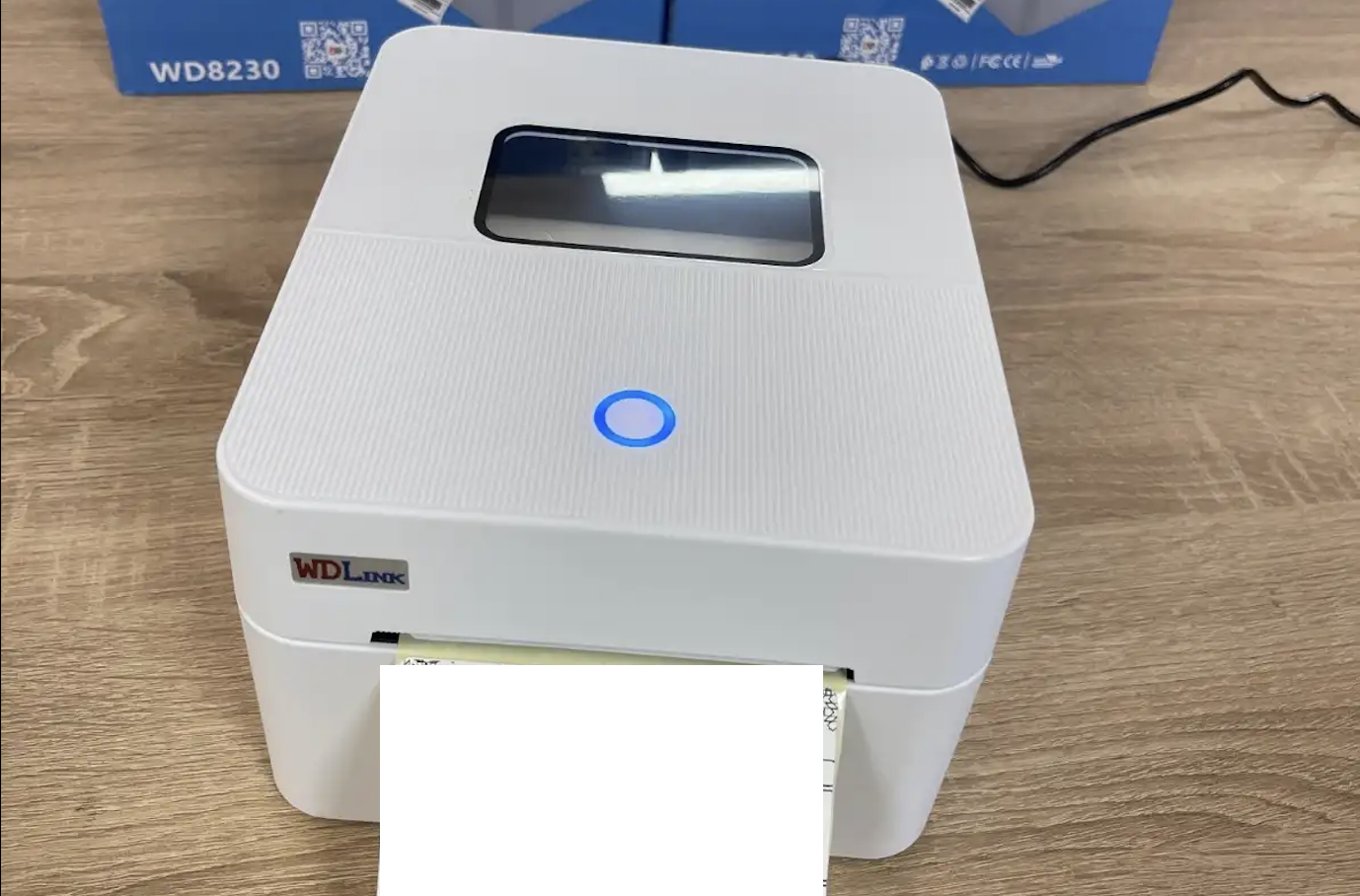
NOW that we have a clear idea of how this works, let’s try to communicate with the thermal printer I’ve got in front of me.
First of all, I need to know the exact information & specifications of the printer. To do so, I turned it off, then turned it on while keeping my hand on the upper button.
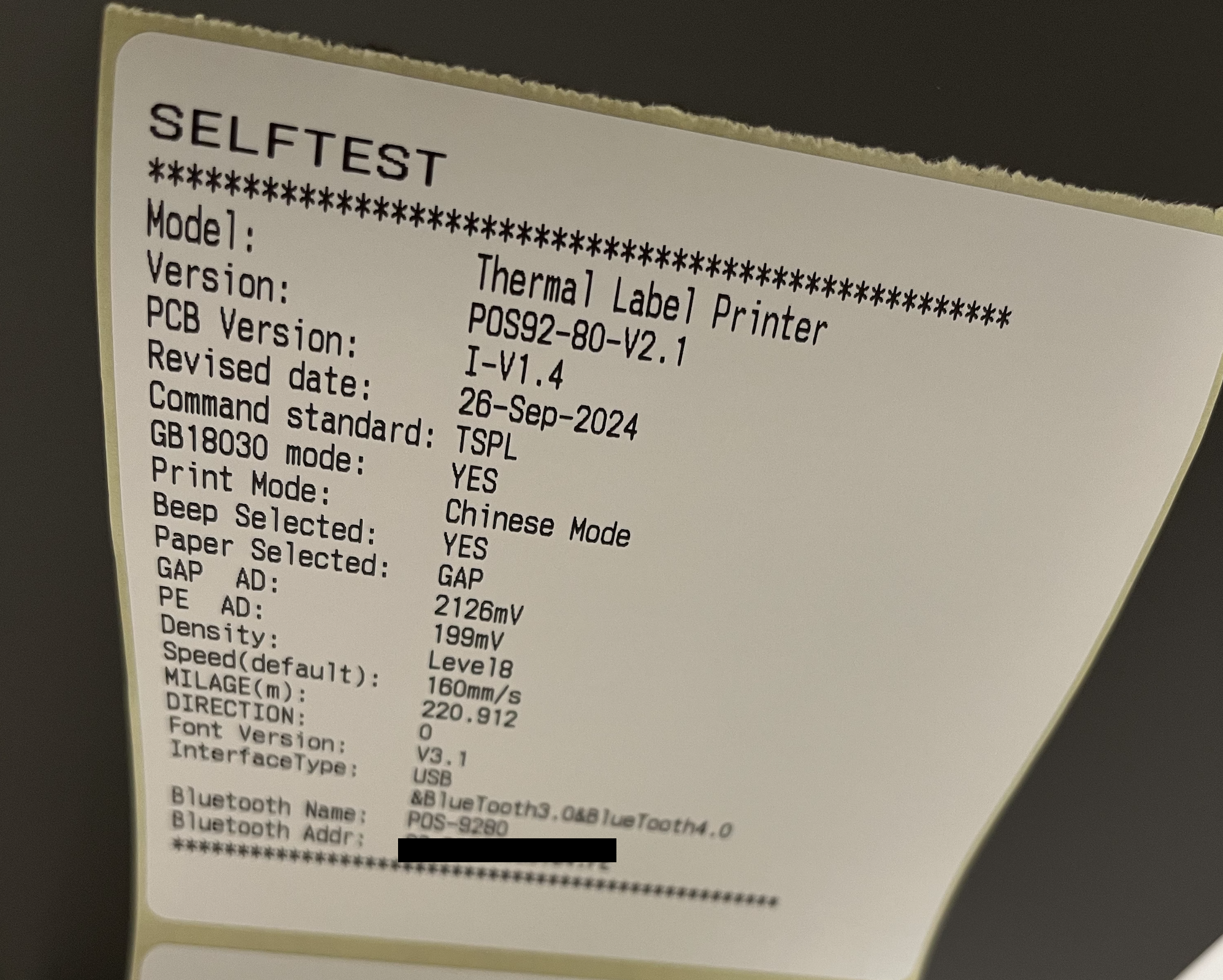
Here, let’s try a simple hello world print, to test connectivity through Bluetooth.
Let’s first discover the MAC address of the printer (it’s normally printed in the self-test label, but sometimes the MAC is something else depending on the Bluetooth type & operating system)
from bleak import BleakScanner
import asyncio

async def scan():
    devices = await BleakScanner.discover()
    for device in devices:
        print(f"{device.name} -> {device.address}")

asyncio.run(scan())
Khalid’s iPhone -> 61FBD0C3-****-****-****-****
None -> 373A9370-****-****-****-****
BLE-WASHER -> EA47BF90-****-****-****-****
POS-9280 -> EDA0AA8E-****-****-****-**** <<<<<<<<<<<<<<<<<<<<<<<<
None -> 9E2D542F-****-****-****-****-****
MI SCALE2 -> 5AC3C2C4-****-****-****-****
Now that we have got the MAC address based on the name found in the self-test label, let’s test the connection:
import asyncio
from bleak import BleakClient

PRINTER_MAC = "EDA0AA8E-****-****-****-****"

async def main():
    async with BleakClient(PRINTER_MAC) as client:

        if client.is_connected:
            print("Printer connected")
        else:
            print("Connection failed")

asyncio.run(main())
Printer connected
In the next TWIL, now that we have a successful connection, we’ll discover how we can order this printer to do things using its command languages.